
![JBL Tune 510BT headphones Review [2025]](https://reviewbybuyer.com/wp-content/uploads/2025/11/JBL-Tune-510BT-Bluetooth-headphones.webp)
If you have scrolled through TikTok, Pinterest, or Instagram Reels in the last twelve months, you have undoubtedly seen them. The JBL Tune 510BT headphones—specifically in white—have become the unofficial uniform of the “Clean Girl” aesthetic, the study-vlog community, and gym-goers across America.
But here at the studio, we are naturally skeptical of viral trends. Does a product go viral because it’s actually good, or just because it looks good in a 15-second video?
To find out, our team bought a pair. We didn’t just unbox them; we lived with them. We passed them around the office, used them on New York subways, took them to Planet Fitness, and connected them to every device we own. After months of collective testing, here is our brutally honest “Review by Buyer” of the JBL Tune 510BT.
*The audio was converted from my blog and generated using NotebookLM
The “At A Glance” Verdict
Rating: 4.5/5 Stars
The Bottom Line: The JBL Tune 510BT is a masterclass in compromise. It is not the most comfortable headphone we’ve tested, nor the clearest sounding. However, for the price, it offers an unbeatable combination of battery life, bass energy, and brand reliability. It is the perfect “beater” headphone for the gym or a great first wireless headset for students, provided you don’t wear glasses.
- Battery Life: 40 Hours + Fast Charging (Rarely needs charging).
- Bass: Heavy, energetic “JBL Pure Bass” signature.
- Multipoint Connection: Connects to laptop & phone simultaneously.
- Aesthetic: Looks significantly more expensive than it is.
- Comfort: High clamping force; painful for glasses wearers after 1 hour.
- PC Issues: Prone to audio lag/static on Windows 11 if not set up correctly.
- Build: The plastic hinge is a known weak point.
- No App Support: Cannot change EQ settings.
The Aesthetic & Build Quality
“They look great, but handle with care.”

All images in this blog post are sourced from the official website https://www.jbl.com/
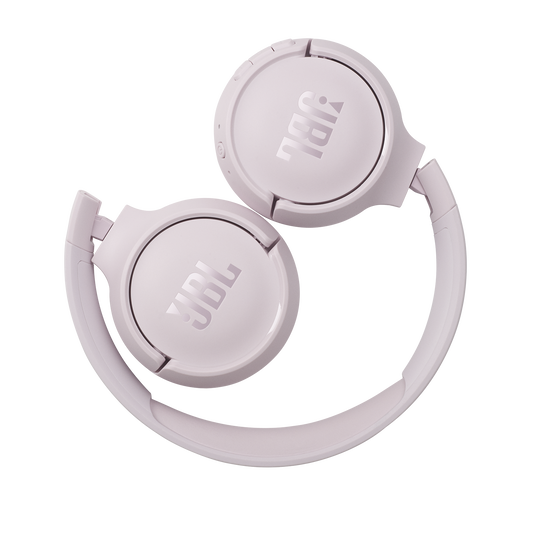
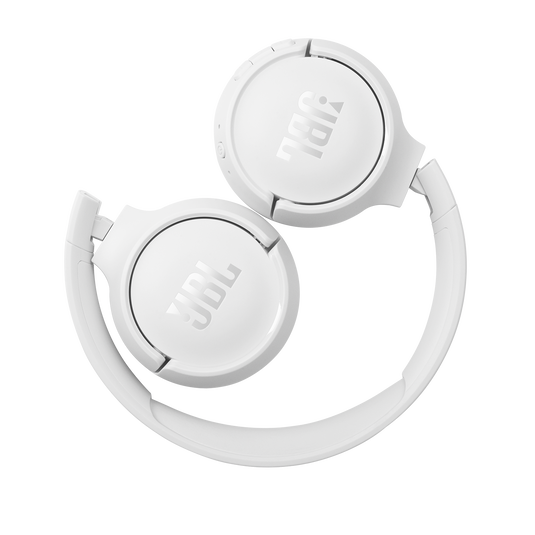
When we first pulled the Tune 510BT out of the box, the first thing our creative director noted was the size. These are On-Ear headphones, meaning the cushions sit on top of your ears, not around them. This makes them incredibly compact.
The Look: They nail the minimalist industrial design. The branding is prominent but not obnoxious. We tested the White version (the most viral colorway), and while it looks stunning on a desk, we did notice the ear pads started to show makeup transfer and sweat stains after about two weeks of gym use. If you want them to stay pristine, you’ll need to wipe them down with alcohol wipes regularly.
The Hinge Anxiety: This is where our engineering lead raised a flag. The headphones fold flat and collapse inward, which is great for portability. However, the swivel mechanism is made of plastic.
- Our Team’s Advice: We stress-tested the hinge. It holds up to normal use, but if you are the type to rip headphones off your head with one hand or throw them into the bottom of a heavy backpack, they will eventually snap. Treat them gently, or invest in a cheap hard case.
Sound Quality
“Not for audiophiles. Perfect for gym rats.”

JBL markets these with the tag “Pure Bass Sound,” and they aren’t lying.
The Bass: When we played tracks like Kendrick Lamar’s “HUMBLE” or Dua Lipa’s “Levitating,” the bass response was immediate and punchy. It’s a “fun” tuning. It adds a thump to kick drums and basslines that is genuinely motivating during a workout. It makes you want to move.
The Mids and Highs: This is where the budget price shows. Our audio editor noted that vocals can sometimes feel a bit “veiled” or recessed behind the bass. High notes (cymbals, violins) lack the “sparkle” you get from premium Sony or Bose headphones.
- The Consensus: If you are listening to podcasts, pop, hip-hop, or EDM, you will love them. If you are trying to analyze the intricate layers of a classical symphony or a complex jazz track, you will be disappointed.
Passive Noise Isolation: There is no Active Noise Cancellation (ANC) on this model. However, because the ear cups clamp so tightly against your ears, they physically block out a surprising amount of room chatter. They won’t silence a jet engine, but they drowned out our office coffee grinder effectively.
Part 3: The “Pain Points”
We believe a review isn’t useful unless it discusses the flaws. Here are the three major issues our team encountered during long-term testing.
1. The “Vice Grip” (Comfort Issues)
This was the most debated topic in our Slack channel.
- The Problem: To keep the headphones secure without a heavy headband, JBL made the clamping force quite strong.
- The Experience:
- Tester A (Small head, no glasses): Found them comfortable for 2-3 hours.
- Tester B (Average head, wears glasses): “Painful.” After 45 minutes, the ear cups pressed the arms of the glasses into the temporal bone.
- Our Verdict: If you wear glasses, we strongly recommend looking at an “Over-Ear” alternative (like the Soundcore Q20i) instead of these “On-Ear” ones.
2. The Windows 11 “Robot Voice” & Ticking
While these paired instantly with our iPhones and Androids, connecting them to our office Windows laptops was tricky.
- The Issue: On video calls (Zoom/Teams), the audio would sometimes sound robotic, or we would hear a faint rhythmic “ticking” noise in the right earcup when no music was playing.
- The Fix: This is usually a Windows driver conflict. We had to manually go into Sound Settings and ensure the Output was set to “JBL Tune 510BT Stereo” and Input was set to the laptop’s built-in microphone. The built-in mic on the headphones is serviceable for phone calls, but it picks up too much background noise for professional PC conferencing.
3. The Missing App
We were disappointed to find that the JBL Headphones App does not support the Tune 510BT.
- Why it matters: You cannot adjust the Equalizer (EQ). You are stuck with the bass-heavy factory sound. You also cannot update the firmware to fix potential bugs.
Battery Life & Features
Despite the comfort issues, there is a reason we kept reaching for these headphones: Convenience.
The 40-Hour Marathon: We fully charged these on a Monday morning. We used them for commuting, gym sessions, and focused work blocks. We didn’t see the “Low Battery” red light until the following Wednesday.
- Fast Charge Test: We drained them completely and plugged them in for exactly 5 minutes via the USB-C cable (included, though very short/orange). We got roughly 1 hour and 50 minutes of playback. That is a lifesaver when you realize you forgot to charge them 10 minutes before a run.
Multipoint Connection (The Secret Weapon): This feature is rare at this price point. We successfully paired the 510BT to an iPhone and a MacBook Air simultaneously.
- How it worked: We were watching a YouTube video on the laptop. A call came in on the iPhone. The headphones automatically paused the video and switched the audio to the ringtone. We took the call, hung up, and the video audio resumed. Seamless.
The Competition – What Else Should You Buy?
If you are on the fence, here is how the JBL Tune 510BT stacks up against the two biggest rivals we’ve tested in the US market.
- Comfort: Sony wins (Softer cushions, lighter clamp).
- Battery: Sony wins (50h vs JBL’s 40h).
- Features: Sony has App support (EQ adjustment).
- Sound: Sony is clearer/balanced; JBL has more bass.
- Aesthetic: JBL wins (Trendy look vs Sony’s “office” look).
- The Difference: 520BT is newer, looks identical but adds 57h battery & App Support.
- Our Advice: If price diff is <$10, buy 520BT.
- Value: If 510BT is on deep discount, it’s the better value-per-dollar.
Troubleshooting Guide
If you decide to buy them (or already have them), bookmark this section. These are the fixes for the most common issues we faced.
- Resetting a Frozen Connection: If the headphones refuse to pair, turn them on, then hold the Volume Up (+) and Volume Down (-) buttons together for 5 seconds. The LED will blink, and the headphones will factory reset.
- Fixing Audio Lag on PC: If you experience lip-sync delay while watching YouTube on Windows, try disabling “Audio Enhancements” in your Windows Sound Settings for the JBL device.
- Protecting the Ear Pads: Since these aren’t waterproof (IP rated), sweat will eventually crack the faux leather. We recommend wiping them dry immediately after a workout. Do not leave them wet in a gym bag.
Final Verdict: Who is this for?
After extensive testing, our team has concluded that the JBL Tune 510BT is a product defined by its audience.
- Students: Who need a battery that lasts all week and a brand that looks cool on campus.
- Gym Goers: Who need heavy bass to get through a set and don’t want to risk ruining expensive $300 headphones with sweat.
- Gift Givers: It’s an affordable gift that feels premium due to the strong brand recognition.
- Glasses Wearers: The pressure on the ears is simply too high for long sessions.
- Remote Workers: The microphone and Windows connectivity issues make them poor choices for Zoom/Teams.
- Audiophiles: If you want to hear every detail in a track, save up for a higher tier.
Advertising Disclosure
Have you used the JBL Tune 510BT? Did you experience the “ticking” noise or the hinge issue? Let our team know in the comments.
YOU MIGHT ALSO LIKE: Best Noise-Canceling Headphones
*The video was converted from my blog and generated using NotebookLM